A persona is mostly there to tell you what makes people close the door. This page brings three things together: the personas and the workshop that opened the Deals feature, the week’s rituals and the accessibility training I built for the product teams.
RoleProduct designer · facilitation
ContextEdenred
Part 1Personas & workshop
Part 2Team rituals
Part 3Accessibility
EmpathiseDefineIdeatePersonas
“I already have tools that do this, what are you bringing me on top?”
A restaurant owner, in user testing
It all started with lines like this one.
A board like this doesn’t fill itself, so I prepare all of it beforehand.
Part 1 · Research & workshop
The Deals project
Deals started from a simple idea. A restaurant owner creates a promotion, it shows up in the app where employees look for lunch and he fills his tables in the quiet hours. Between him and that promo sits a portal he only opens to download his invoices.
On paper we already knew everything about them, but faces were missing. I went back through the documentation, the interviews from user testing and the benchmark.
Out of that I built three profiles, each one put together from several merchants we’d met in testing. The lines on their cards are their own words. For each one I looked less at what they want than at what makes them close the door.
Three restaurant owners and three ways of saying no
Persona 1
Dimitar
The ultra pragmatic
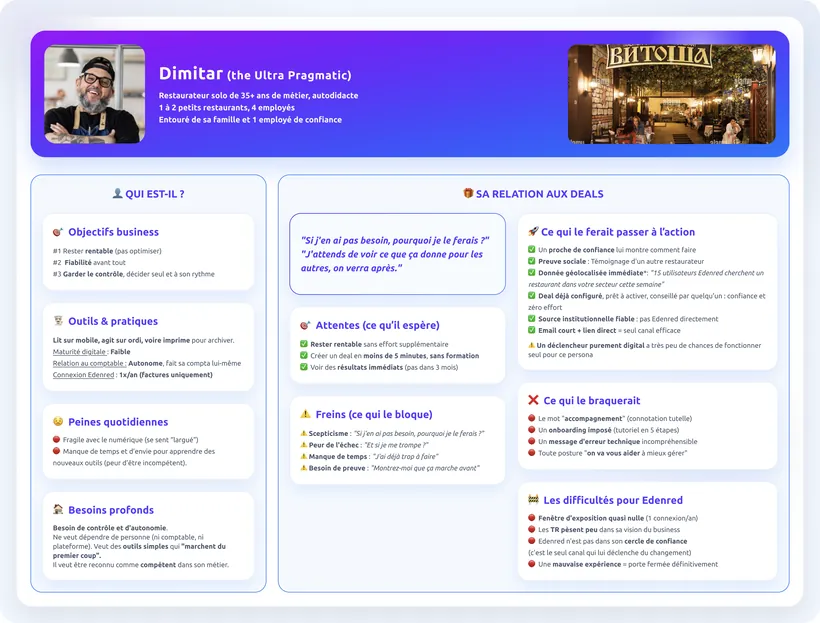
Solo restaurant owner, thirty-five years in the trade, four employees. He does his own accounts.
“If I don’t need it, why would I do it?”
What would move him
Someone close he trusts, showing him
Another restaurant owner vouching for it
A deal already set up, ready to switch on
What shuts him down
The word “guidance”
A five-step tutorial he didn’t ask for
“We’ll help you run things better”
Dimitar’s full sheet
Persona 2
Maria
The informed manager
Runs a restaurant, came from another industry. Her accountant often logs in for her.
“I don’t want to look like an idiot.”
What would move her
Her accountant, if he backs the idea
A figure compared to her own sector
A turnkey deal, with the results shown
What shuts her down
Technical vocabulary
An error waiting to happen, unannounced
The “let us explain” tone
Maria’s full sheet
Persona 3
Elena
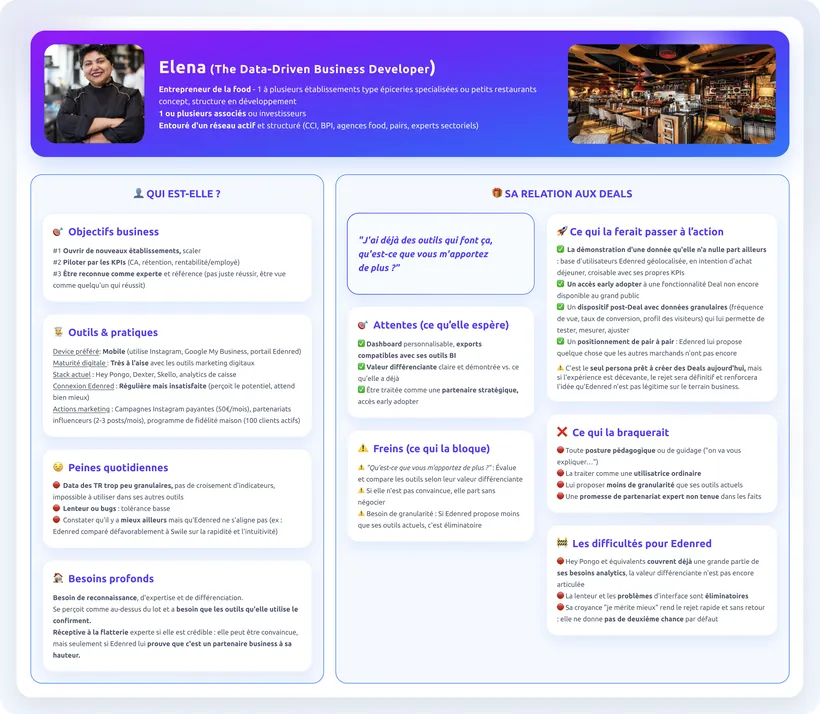
The data-driven one
Several places, a structured network. Tracks her numbers every day.
“I already have tools that do this, what are you bringing me on top?”
What would move her
Data she has nowhere else
Access before everyone else
Detailed figures after the deal
What shuts her down
Any teaching posture
Being treated like everyone else
Less detail than her current tools
Elena’s full sheet
The sort: not everyone was the target
Before designing anything, I set three conditions a merchant had to meet to create a deal and I ticked them off profile by profile. Only two met them, and only partly. Dimitar met none of them: he left the workshop’s scope without leaving the research.
The three conditions for creating a deal, ticked for personas 2 and 3
The condition to meet
Persona 2Maria
Persona 3Elena
Sees Edenred as a business partner, not just a payment method
If supported
Almost
Sees the Edenred+ app as a customer acquisition channel
No
Yes
Is proactive on a platform she uses a few times a year
If guided
Yes
Ready to create deals?
Under conditions
Yes, but…
acquiredpossible under conditionsblocked
Maria, guide her step by step
She takes the step if the interface tells her what to do and proves the gain. What was left to settle: what “worth it” actually means to her.
Elena, don’t disappoint her
The most mature target to start with and the most demanding. A half-baked feature makes her leave for good.
“I accept Edenred because my customers use it” has to become “I use Edenred to generate business”
The shift to obtain before adding any feature at all
A workshop over two half-days to find out what to build
That table produced the question for the session: where and how do we make Edenred’s commercial value visible before asking a merchant to create a deal?
The workshop brought two teams of three together over two half-days. We knew from the start what we wanted out of it: three testable hypotheses and a handful of ideas precise enough to prototype.
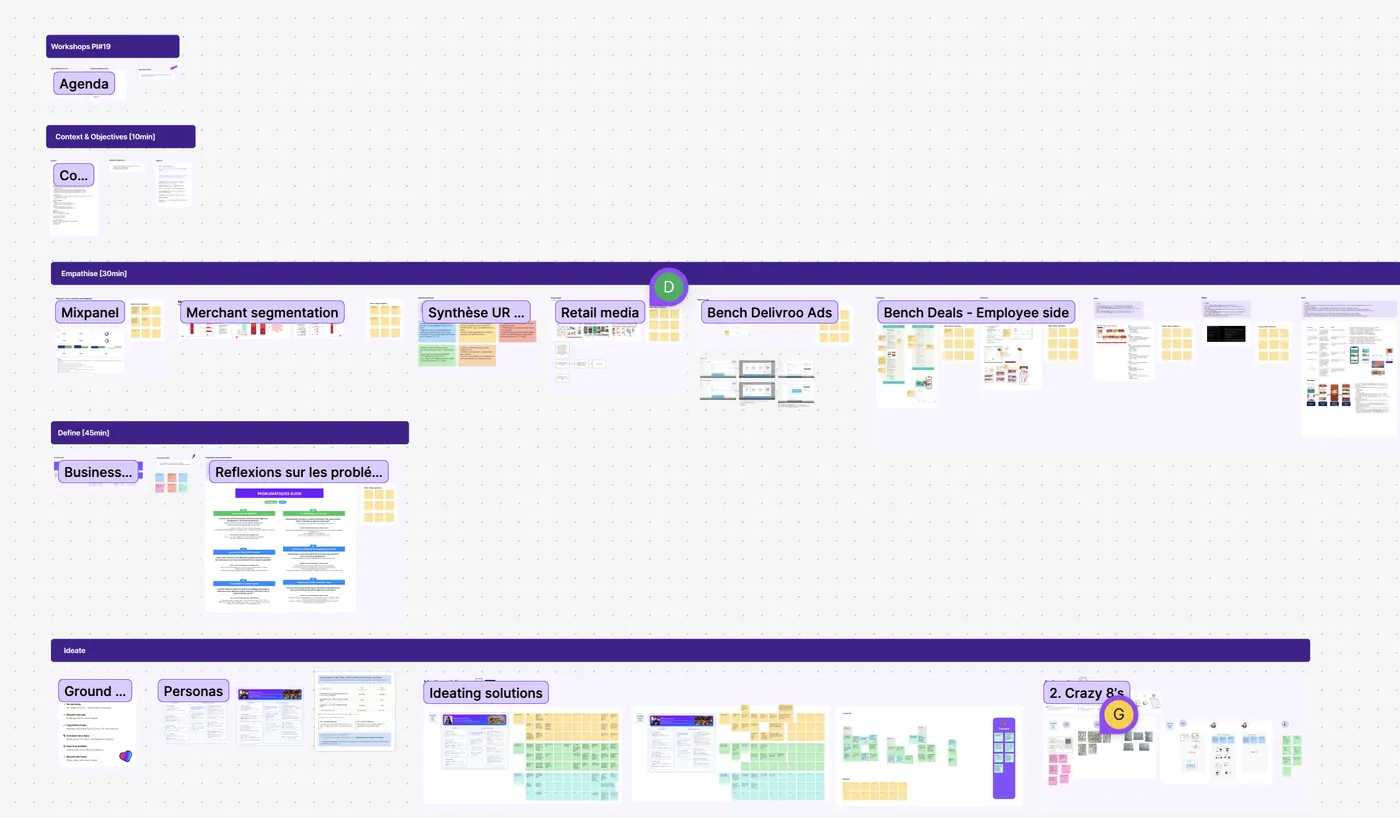
10 min
The context and the objectives
Set out the problem, the scope and what we expect from the session.
30 min
Understand
Everything we already knew, on the table before thinking. Everyone reads, nobody proposes anything yet.
Merchant segmentation
Interview synthesis
Retail media
Benchmark
45 min
Frame
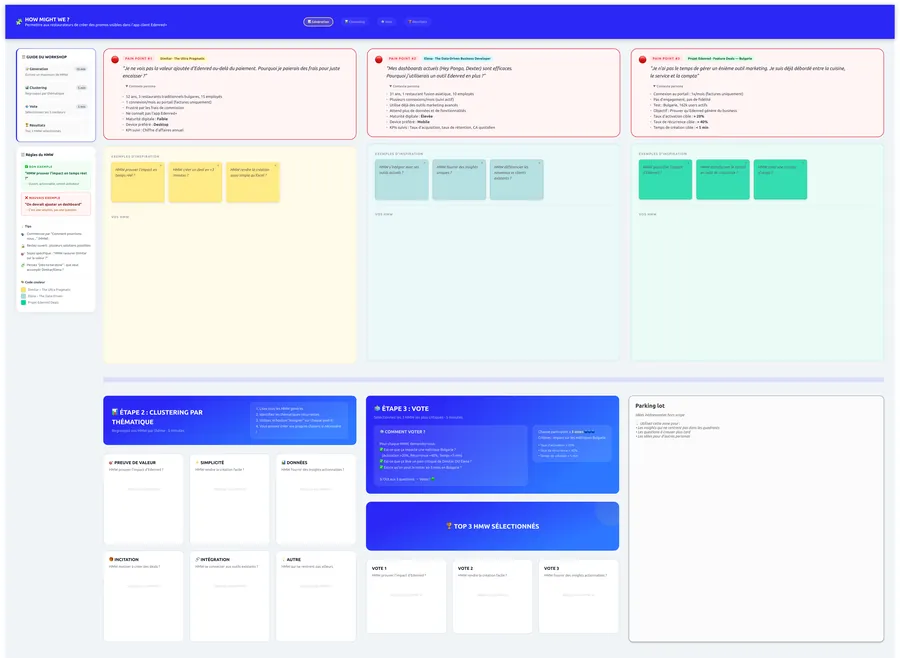
The business framing, then the problems rewritten as How Might We, clustered by theme and voted on.
Imagine
The ideas and the sketches
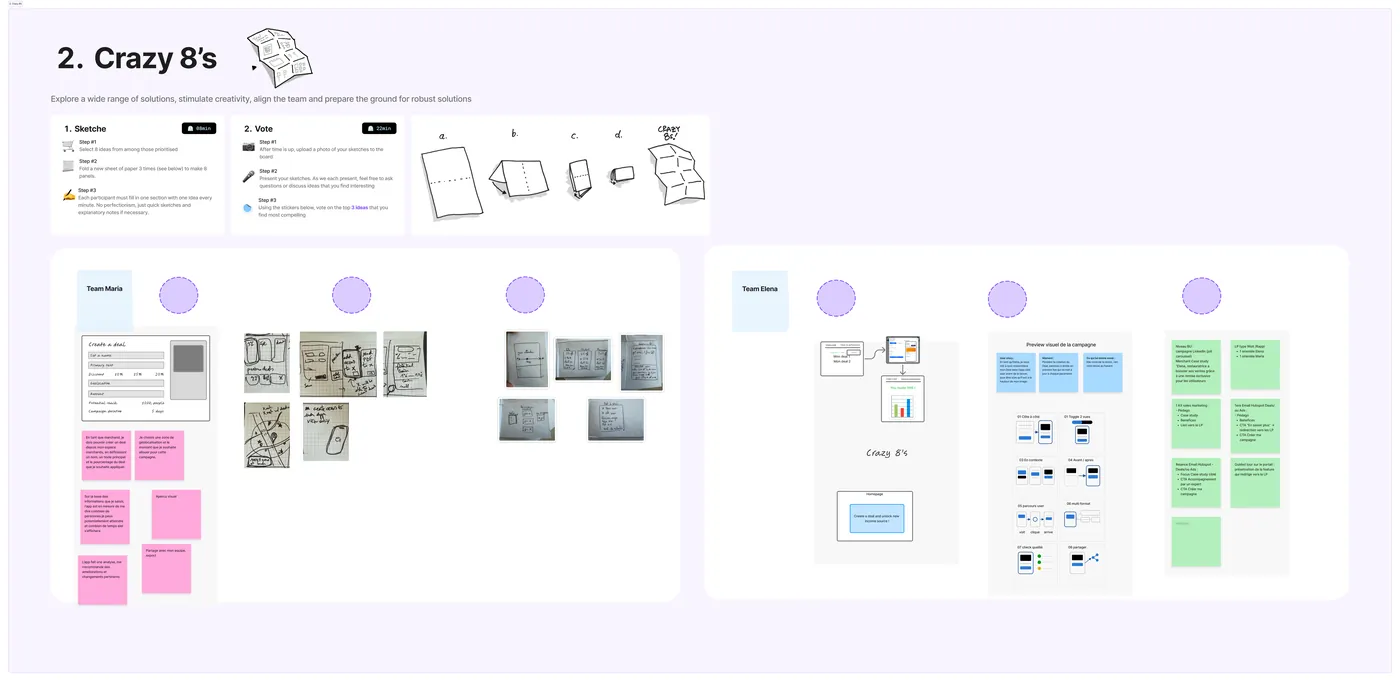
The personas are read out loud, we note the ideas that come up around them, then we do Crazy 8’s.
The session board, from the agenda to the sketches.
The boards made beforehand
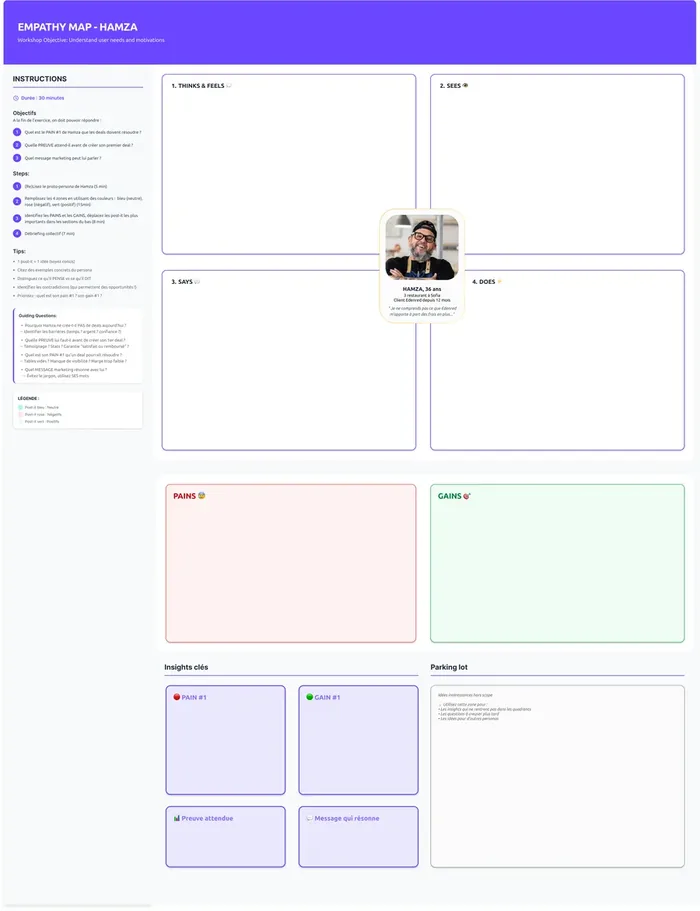
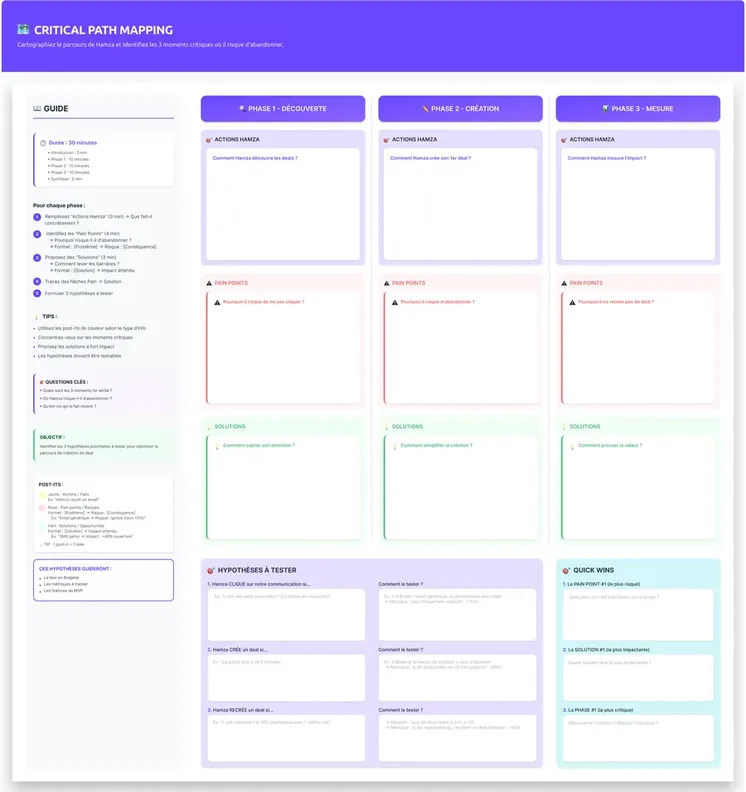
Every exercise has its board: the instructions, the timing, examples to get going and an example of a bad answer next to the good one. Everything is ready before the session.
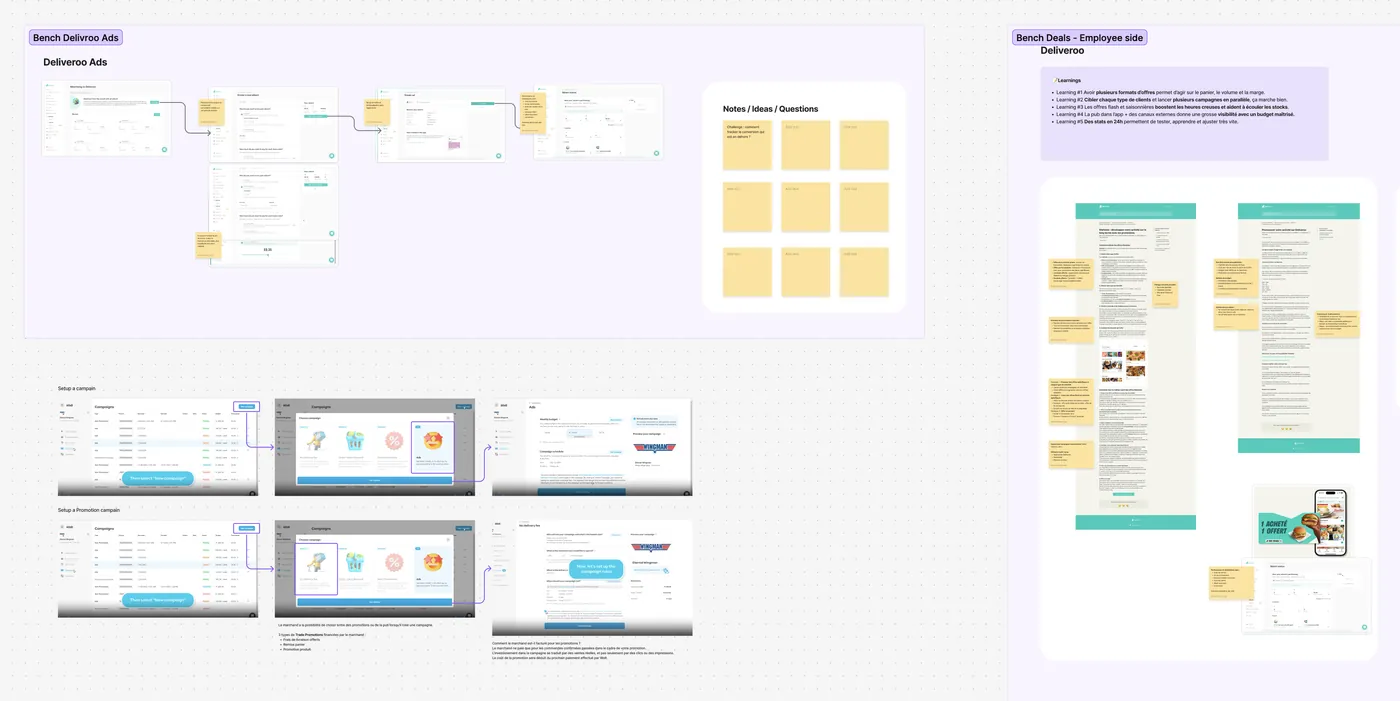
One example: Deliveroo’s advertising offers on the restaurant owner’s side and its deals as a user sees them.
The production · two teams, two personas
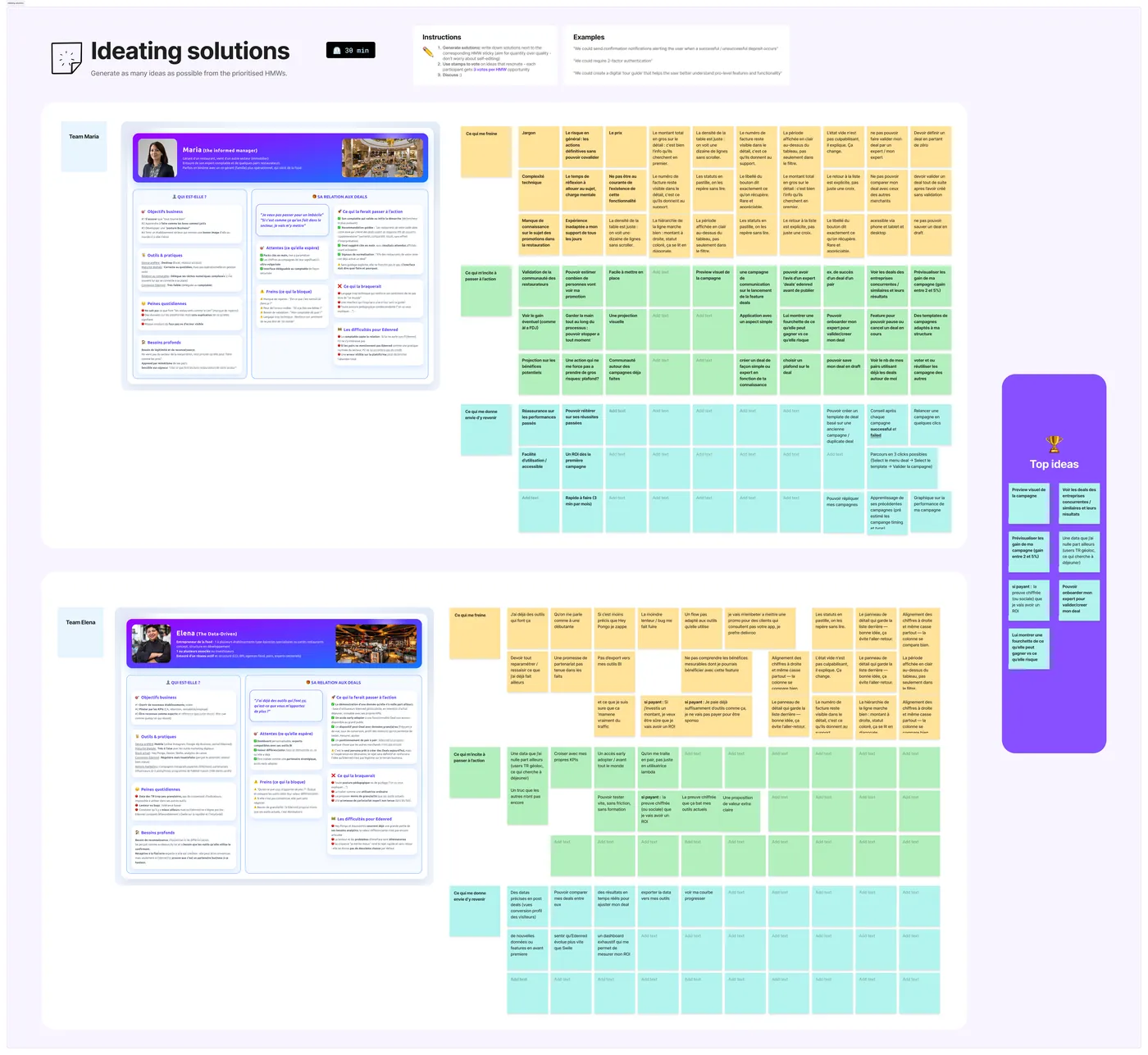
One team steps into Maria’s shoes, the other into Elena’s. The two piles of ideas have nothing in common: what reassures Maria irritates Elena.
Each team fills three registers: what holds her back, what pushes her to act and what makes her come back.Crazy 8’s: eight minutes, eight boxes, then we vote.
The outcome · the ideas that won the vote
The campaign previewSeeing what the deal will look like in the app before publishing it.
Deals from comparable restaurantsWhat similar or competing places are running and their results.
The gain estimated before activationA range of extra covers shown before confirming.
Data she has nowhere elseGeolocated users around the restaurant, looking for lunch.
Part 2 · The team’s rituals
What comes back every week
The team has two fixed rituals. Once a week, a design critique: someone drops their screen or their flow into FigJam and says where they’ve got to. The team fills in sticky notes with its questions, its ideas and what it likes.
❓ Questions
What we don’t understand.
😍 What works
The good ideas we have to keep.
💡 Leads
Every idea that crosses our minds.
The Invoices page with its five screens reviewed. Three columns of sticky notes under each one.
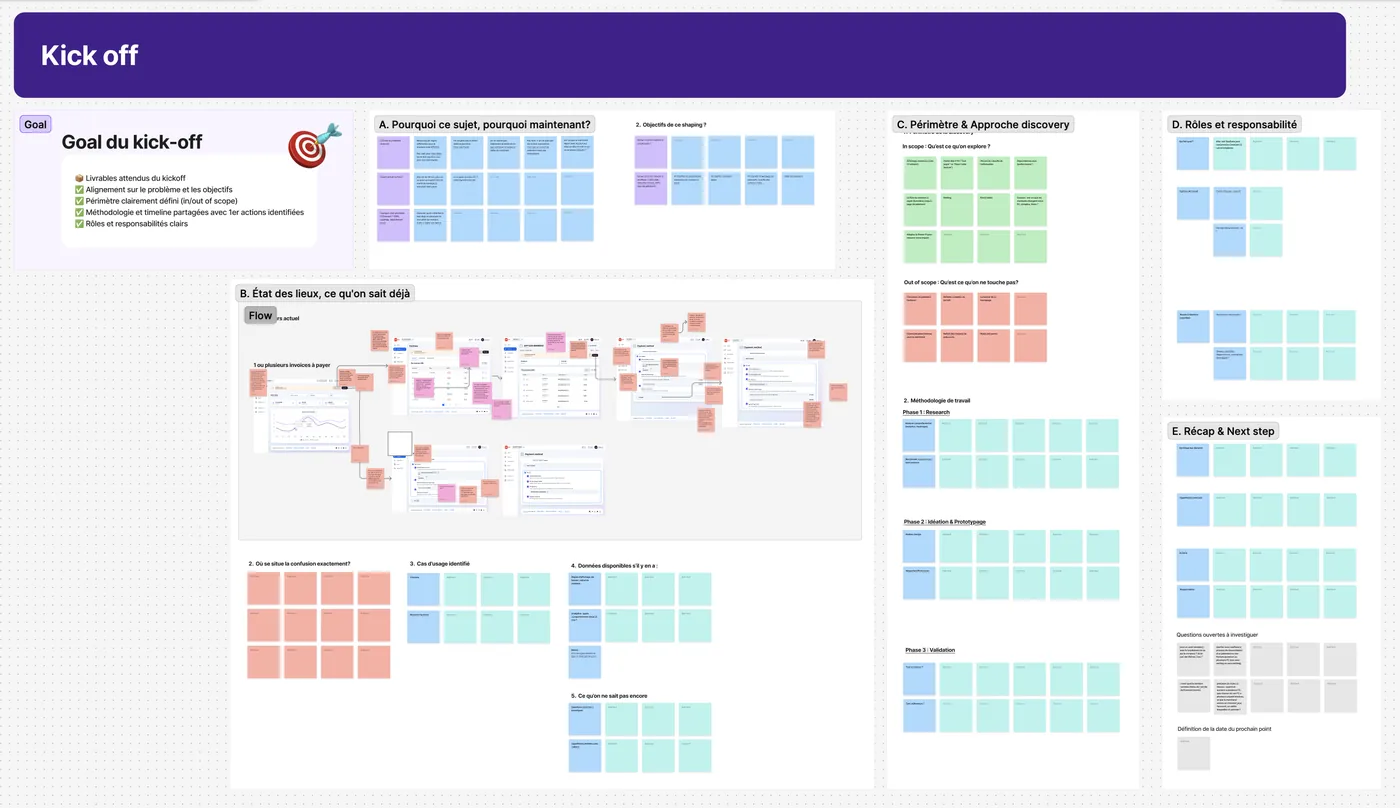
The second ritual is the kick-off at the start of each topic: we leave with a board like this one so that nothing gets forgotten.
The goal
What we must have on the way out: the deliverables, the problem defined, the scope, the method, the schedule and the roles.
A · Why now
What makes the subject urgent.
B · The state of play
What we already know: the current flow annotated, the use cases, the data available and what we don’t know yet.
C · Scope & approach
What we touch, what we don’t touch and the planned phases of work with their deliverables.
D · Roles
Who decides, who produces, who signs off.
E · Recap & next step
The open questions and the date of the next check-in.
The kick-off board, six blocks in order. This one opened the payment page redesign.
Part 3 · The training
Accessibility in one hour, for fifty people
I took a two-day accessibility course and found it useful enough not to keep it to myself. I turned it into a one-hour session, open to anyone who wanted to come, and I built the whole deck. About fifty of us were in the room: designers, product managers, developers, every product role.
Try it
Click a setting and the whole page adapts to you.
With the session, that’s what I wanted to do: put us in someone else’s shoes for two minutes, to understand each user better.
Condensing two days into one hour forces you to choose. I kept five parts: disabilities themselves, what has to be checked, how to install it in an organisation, then testing and auditing. Each board is a map you walk through on screen with live demonstrations on real websites.
The session ends on tooling rather than on principles: the extensions to install in the browser and a questionnaire to place the organisation on the maturity scale. Everyone leaves able to check their own screen the next day.
WAVE
axe DevTools
Accessibility Insights
Assistant RGAA
WCAG Color contrast
Web Developer
The whole deck: context, disabilities, what to check, how to set it up inside a company, testing, extensions, the audit.
Accessibility is useful to 100% of users. For 30%, it is necessary. For 10%, it is essential.
The opening line of the training
What the team takes away
Disability is often temporaryAn arm in a cast or a screen in bright sunlight: what you design for a lasting disability serves everybody the rest of the time.
Half of it happens before developmentContrast, tap target size, tab order, alternative text.
A mockup gets annotatedRoles, heading levels, reading order, text alternatives: without those annotations the developer has to guess.
Compliance is a scaleAn organisation moves through six maturity levels, from absent to optimised. Knowing where you stand lets you move up one step at a time.
Taking the time to prepare
The Deals project, the rituals and the training all came from the same place: a moment when the team could no longer decide and an object, a persona or an exercise was missing to get the discussion going again.
I spend more time preparing than running the session, but when the board is ready we get into the subject in the first few minutes of the workshop.